 SwipeDelete
In Photos, tap Select and drag your finger across the thumbnails to select whole rows in one gesture. Tap the trash icon to delete them. Photos stay in Recently Deleted for about 30 days: review them there before emptying the album.
Multi-select in Photos, step by step
- Open Photos in the Library or an album (for example Videos or Screenshots).
- Tap Select in the top-right corner.
- Place your finger on a thumbnail and drag horizontally, then vertically: every photo you touch is selected. Near the edge, the grid scrolls automatically.
- Tap individual photos to deselect the ones you want to keep.
- Tap the trash icon and confirm.
The problem with mass selection
Selecting hundreds of thumbnails is fast, but it's easy to include a photo you meant to keep: thumbnails are small and look alike. Three safeguards:
- Favorite important photos before you start.
- Work by category or by month, not across the whole library at once.
- Check “Recently Deleted” before emptying it — it's your safety net.
How to recover a deleted photo
- Open Photos › Albums › Recently Deleted (it may ask for Face ID or your passcode).
- Tap Select, choose the photos and tap Recover.
After about 30 days, or once you empty the album, the photos can no longer be recovered from your iPhone.
How to do it with SwipeDelete
SwipeDelete combines the speed of bulk deletion with photo-by-photo control:
- Swipe left on photos to delete and right on those to keep: one second per decision, full screen.
- Wrong call? Undo restores your last decision.
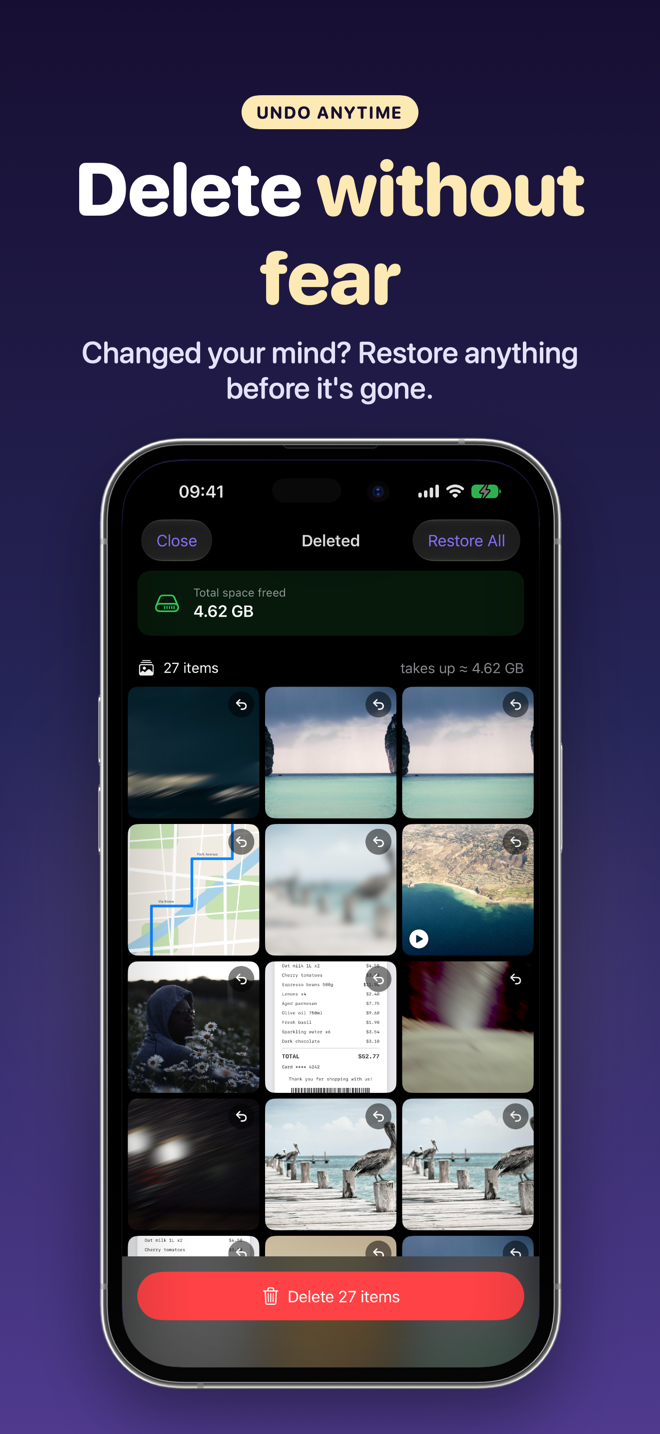
- Discarded photos land in the in-app Trash: review it as a grid, restore a single item or everything.
- Confirm deletion with one tap; iOS asks for its own confirmation before anything is removed.
FAQ
Can I select all photos at once?
In albums and the Library you can select a huge number by dragging your finger; think twice before deleting everything.
Why hasn't my storage increased after deleting?
The photos are still in “Recently Deleted.” Empty it when you're sure.
Can I get a photo back after discarding it in SwipeDelete?
Yes, as long as it's in the in-app Trash: you can restore it any time before confirming.