 SwipeDelete
To clean your camera roll without losing your mind: first delete the easy categories (screenshots, duplicates, useless videos), then work one month at a time in the Library with one simple rule — “would I look at this again?” — and finally turn cleaning into a five-minute weekly habit.
1. Start with the easy decisions
Your first cleanups should pay off without effort:
- screenshots you no longer need;
- duplicates and near-identical shots;
- bursts where one frame is enough;
- long videos you'll never rewatch.
2. Then work one month at a time
- In Photos › Library, tap Months (or the period view available in your iOS version).
- Open a month and go through the photos in order.
- For each one, apply the rule: “Would I look at this again or show it to someone?” If not, it goes.
- For similar photos, keep the best and favorite the keepers.
- Delete, move to the next month and, at the end of the session, empty Recently Deleted.
Start with the most recent month: memories are fresh and you decide faster. Tackle older years later, once you've found your rhythm.
3. Make it a habit
- Five minutes a week on the latest month beats one marathon a year.
- Delete throwaway screenshots right after using them.
- After a trip or a party, pick the best shots while you still remember the context.
How to do it with SwipeDelete
- Open SwipeDelete and pick a year and month from the date filter.
- Swipe through each photo: left to delete, right to keep, with haptic feedback on every decision.
- Stop whenever you like: deck, trash and preferences are saved and you resume exactly where you left off.
- At the end of the session, review the Trash and confirm.
The lifetime freed counter turns cleaning into a small, rewarding goal.
Coming soon on theApp Store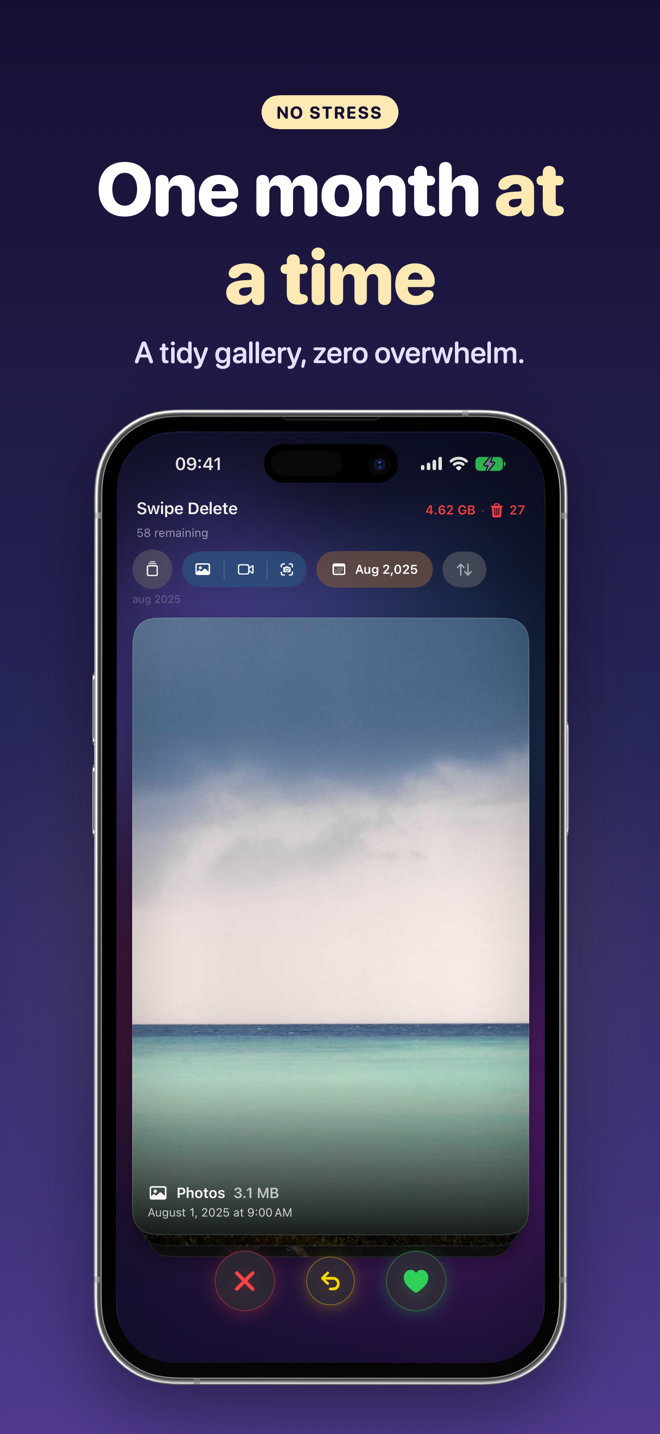
FAQ
Where do I start with tens of thousands of photos?
With the easy categories (screenshots, long videos, duplicates), then from the most recent month backwards.
How long does it take?
It depends on your library; in short sessions, a month of photos often takes just a few minutes.
Do I need albums to stay organized?
Not necessarily: a library without duplicates and junk is already much easier to browse. Favorites help you find the best shots.