 SwipeDelete
Open Photos › Albums › Media Types › Videos and check the duration shown on each thumbnail: long, 4K, 60 fps or slow-motion videos are almost always the heaviest. The Photos app can't sort videos by size, so to see the biggest files first you need an app with sort by size.
Why videos weigh so much
A photo usually takes a few MB; one minute of high-resolution video can take hundreds of MB. A few long videos — a school play, a concert, a forgotten recording — can take as much space as thousands of photos.
Finding them in the Photos app
- Open Photos and go to Albums › Media Types › Videos.
- Scroll through and look for the longest durations (bottom-right of each thumbnail).
- Open a video and swipe up (or tap ⓘ) to see its details: resolution and, depending on your iOS version, file size.
- Also check the Slo-mo and Time-lapse albums under Media Types.
- Delete the videos you don't need, then empty Recently Deleted.
Alternatives to deleting
- Trim the video: tap Edit and cut the start and end; keep only the moment that matters.
- Move it to a computer or drive before deleting it from your iPhone.
- For the future: in Settings › Camera › Record Video you can pick a lighter resolution for everyday clips.
How to do it with SwipeDelete
- Open SwipeDelete and turn on the Videos filter.
- Tap the sort control and choose by size: the heaviest files come first, with duration and size shown on the card.
- Swipe left on those to delete, right on those to keep.
- The Trash shows how much space you're about to free: restore if needed and confirm.
It's the way to reclaim the most storage with the fewest swipes.
Coming soon on theApp Store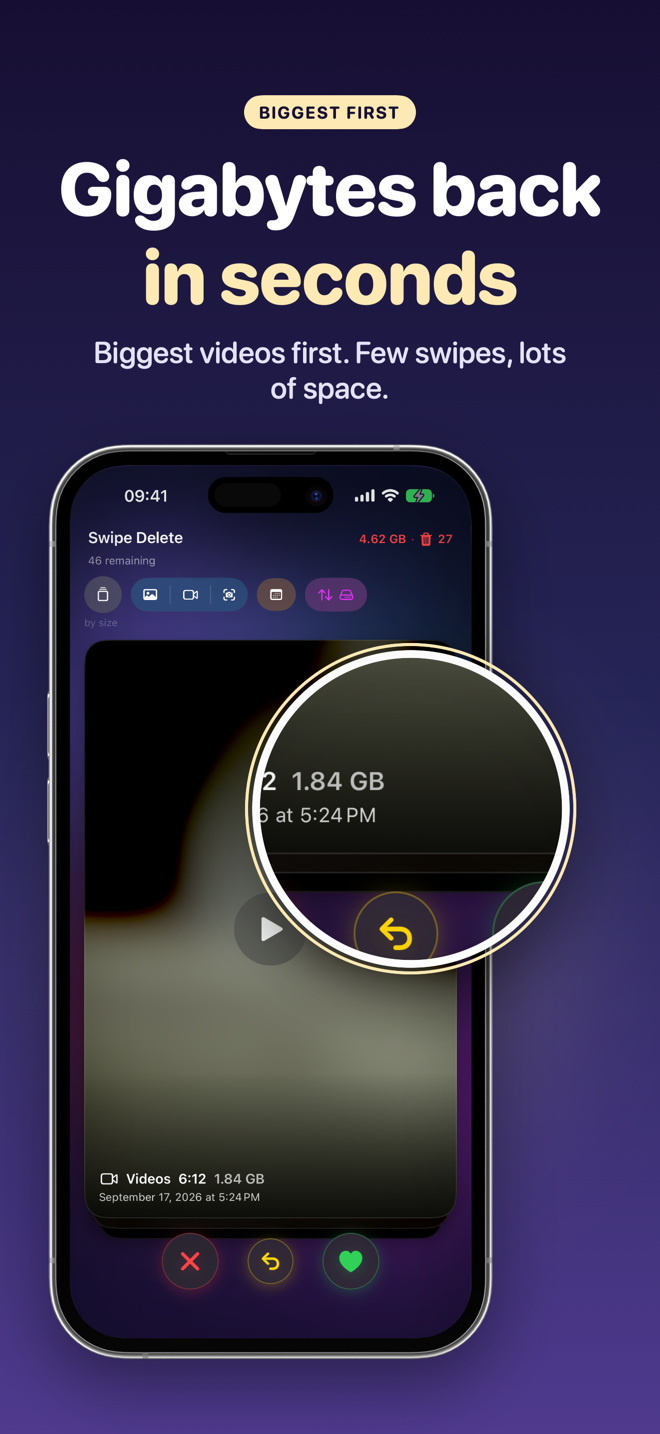
FAQ
Can I sort videos by size in the Photos app?
No, Photos sorts by date. To see the biggest files first you need an app with sort by size.
How much space does one minute of video take?
It depends on resolution and frame rate: 4K at 60 fps takes far more than 1080p at 30 fps. Current estimates are in Settings › Camera › Record Video.
Does deleting a video from my iPhone delete it from iCloud?
Yes, if you use iCloud Photos. Make a copy elsewhere if you want to keep it.